A journal for trades and backtests
Log trades, attach chart screenshots, see your stats and test ideas on history. Everything stays on your computer. For macOS and Windows.
Features
Trade journal
Instrument, side, time, result in R and dollars. Keep several accounts and see stats for each.
Backtests
Each backtest is a separate session with its own name, asset and period. Backtest stats never mix with live trades.
Chart screenshots
One key captures every timeframe of the trade from TradingView, one by one or with automatic TF switching. Shots go into the open trade or backtest.
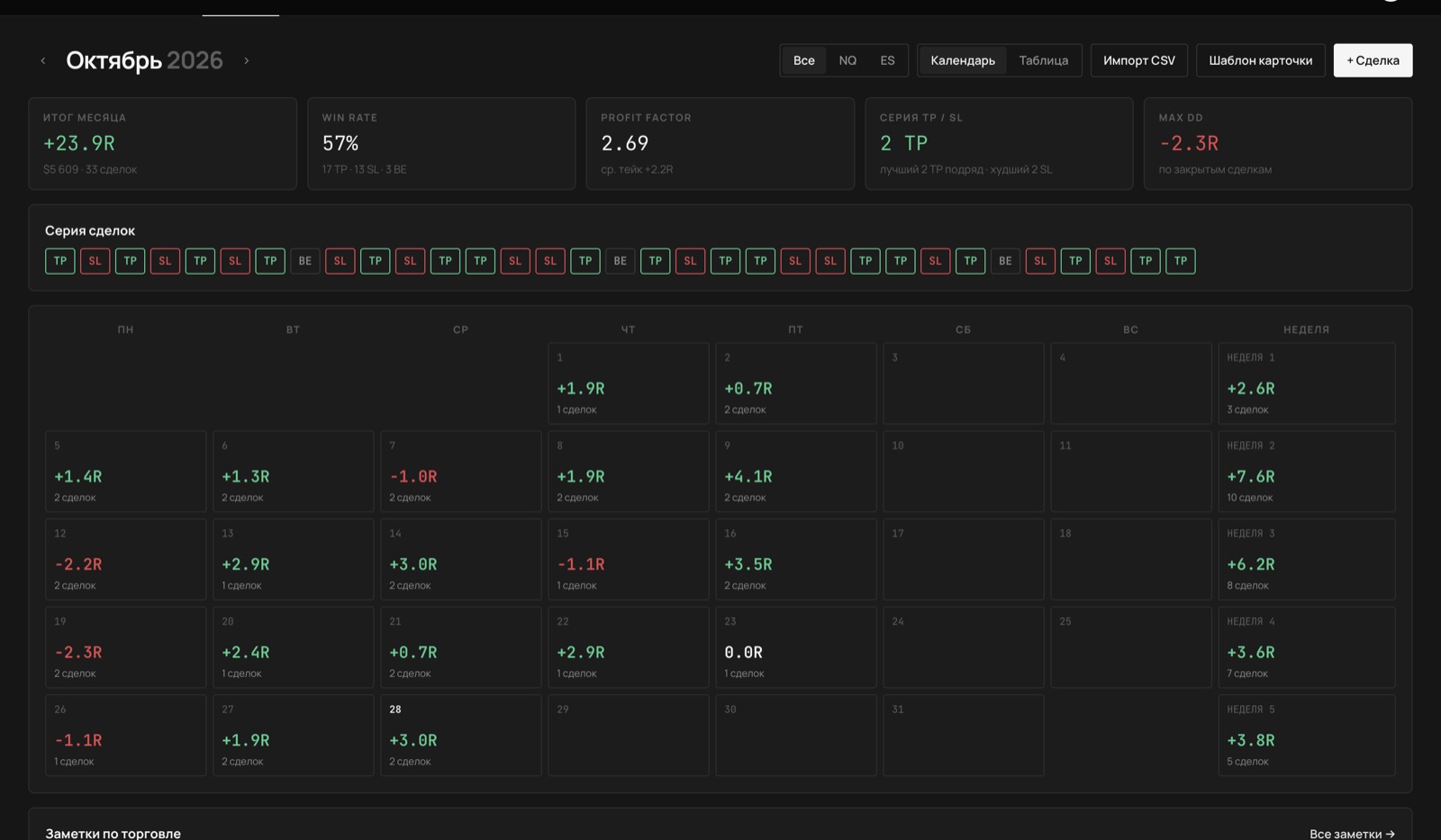
Stats and calendar
Monthly result, win rate, profit factor, streaks and drawdown. The calendar shows the result of every day and week.
Notes and reviews
Each trade has a review and a list of mistakes. Shape the card around your model: TF blocks, fields, checklists.
Accounts and risk
For a prop account set the target, daily limit and max drawdown; the journal shows how much room is left for each.
Import and news
Import trades from a broker CSV (Tradovate is recognised automatically). An economic calendar four weeks ahead.
Free and Pro
Free is a complete journal with no time limit. Pro adds price-based trade calculation.
| Free | Pro | |
|---|---|---|
| Journal, backtests, screenshots, stats, calendar, notes, news, import | ✓ | ✓ |
| Trades in R: result, risk and commission entered by hand | ✓ | ✓ |
| Calculation from entry, stop, target, exit and size | — | ✓ |
| Per-contract commission and spread applied automatically | — | ✓ |
| Planned RR and how much of the plan you took | — | ✓ |
Pricing
Download
FAQ
Where is my data stored?
On your computer: the journal database and a folder of screenshots. Only your sign-in email and subscription date go to the server. You can export the whole journal to a file: Account → Data.
Does it work offline?
Yes. The internet is needed to sign in, load news and check the subscription. Pro keeps working offline until the paid period ends, plus three days.
What is the difference between Free and Pro?
In Free a trade is logged in R, with risk and commission entered by hand. In Pro it is calculated from entry, stop, target and exit prices, with size, commission and spread. Everything else is the same.
How do I install it?
The app is not signed by Apple or Microsoft yet, so on first launch the system asks you to confirm that you trust it. You do this once. Step by step: installation guide.
How do I update?
On Windows the update downloads by itself and installs on restart. On Mac the app tells you about the new version; download the .dmg and replace the app in Applications. Your data stays.
What happens to my data when Pro ends?
Nothing is lost. The journal switches to Free and all trades, screenshots and notes stay. Trades calculated from prices keep their results.
How do I pay for Pro?
In crypto via NOWPayments: USDT (TRC20, BEP20, TON, Solana), BTC, ETH or TON. Pro turns on once the transfer is confirmed, usually within minutes. It does not renew by itself; the app reminds you a week before the end.